Changelog

New features and products that we have recently released across the Blueprint platform

Automated Superbills

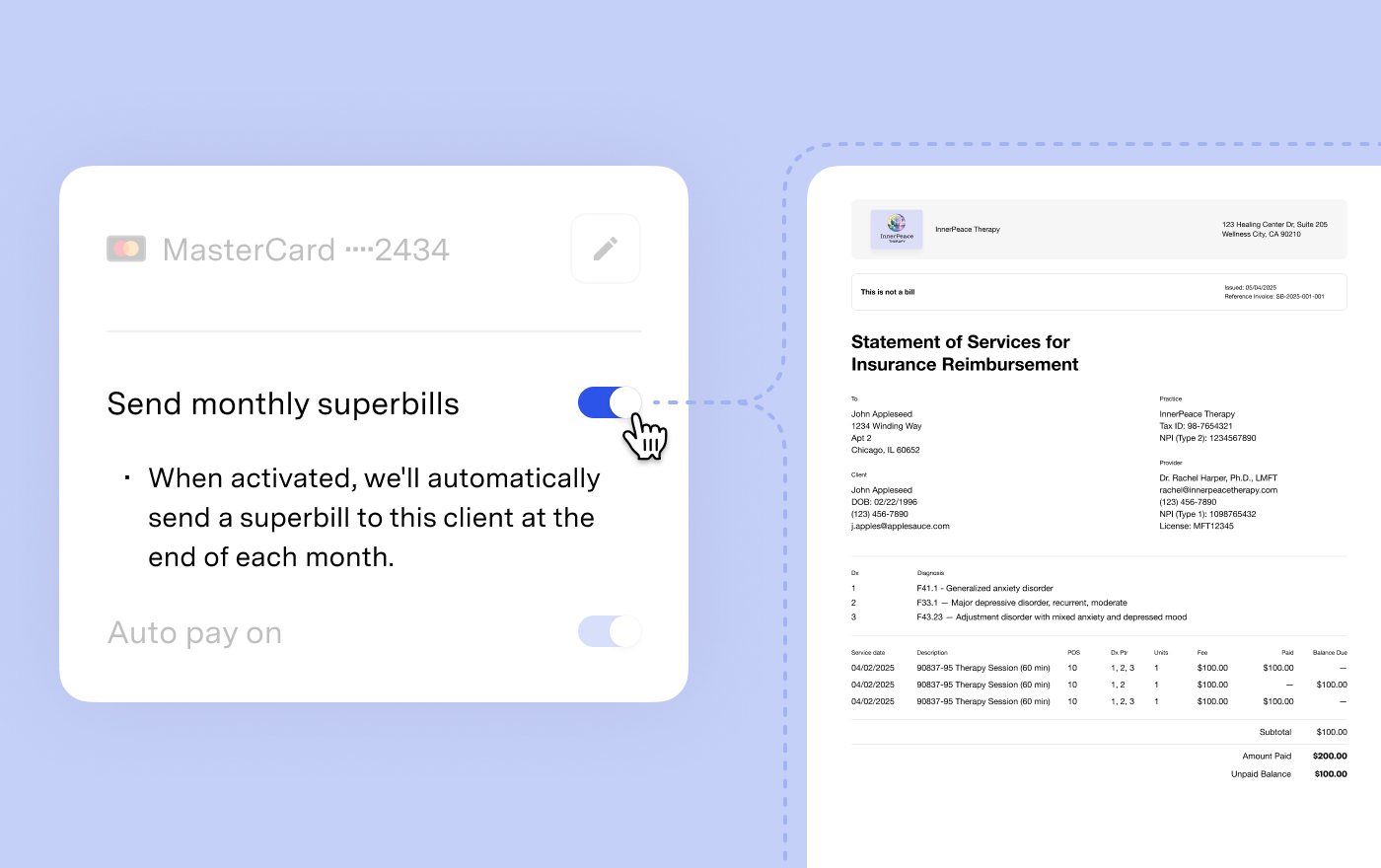
Automatically send superbills to clients on a monthly schedule, without generating each one by hand.

Superbills are formatted receipts your clients can submit to insurance or use for FSA/HSA reimbursement. For clients who request them regularly, producing one each month is recurring administrative work that doesn't need to be.

When you opt a client into automated superbills, Blueprint delivers a consolidated superbill to their client via email at the start of each month, covering every paid invoice from the prior month. You stay in control — the toggle is per client, so you decide who gets one and when.

Turn on automated superbills from a client's profile.

Notes from text

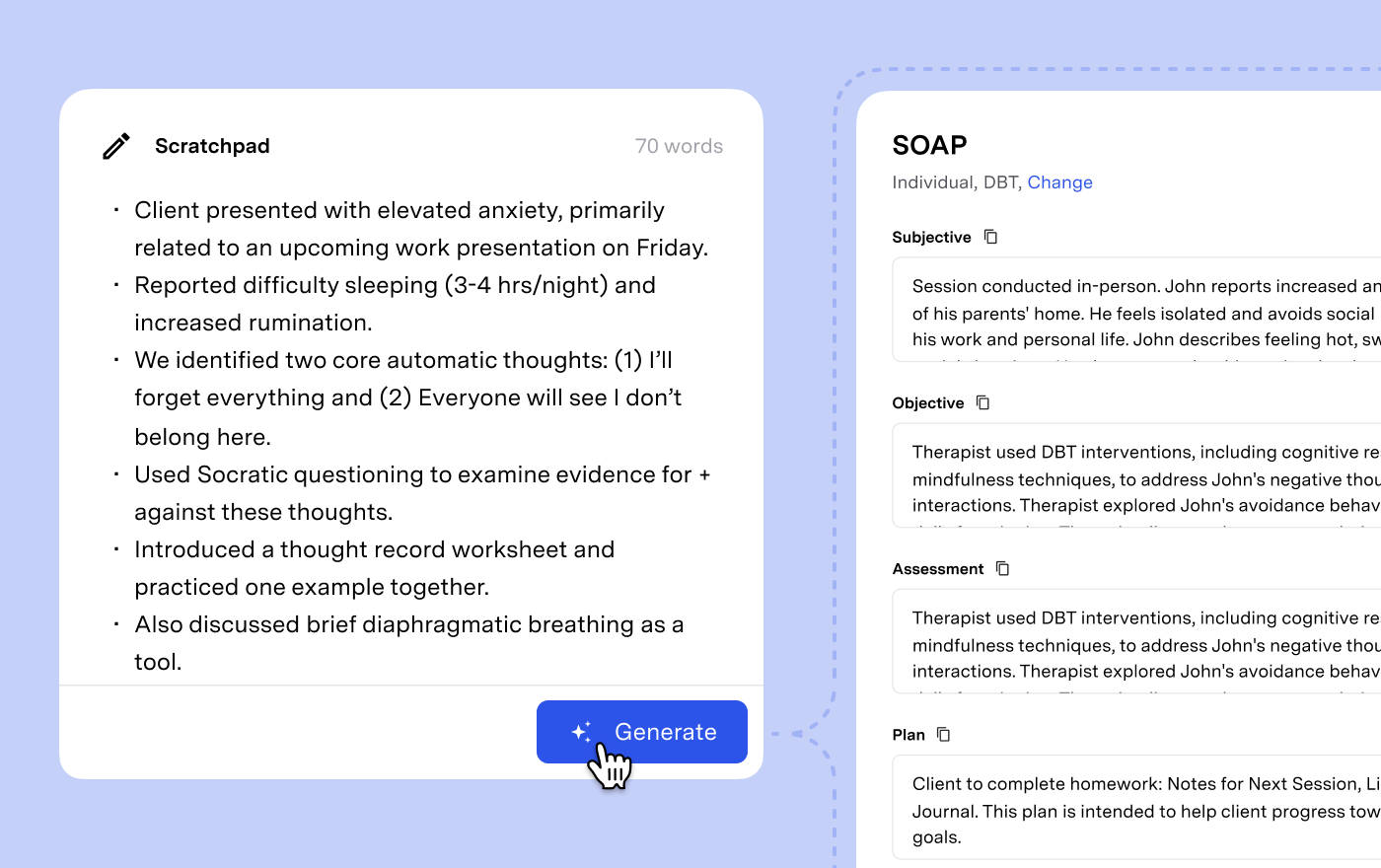
Generate progress notes from a typed summary, without an audio recording.

Not every session has a recording — phone calls, walk-and-talks, and sessions where a client doesn't consent to recording all leave you without a transcript to work from. Now you can type a brief summary in Blueprint's built-in editor (30 words minimum), and Blueprint generates a progress note from your text.

Notes from text include a Source tab that works the same way the Transcript tab does for recorded notes, so you can always trace what the note was based on. The same option also helps when a recording accidentally captures two sessions back-to-back: paste the second portion of the transcript into the editor and generate a separate note from there.

To use it, choose "Write session summary" when creating a new note.

Eligibility check summaries

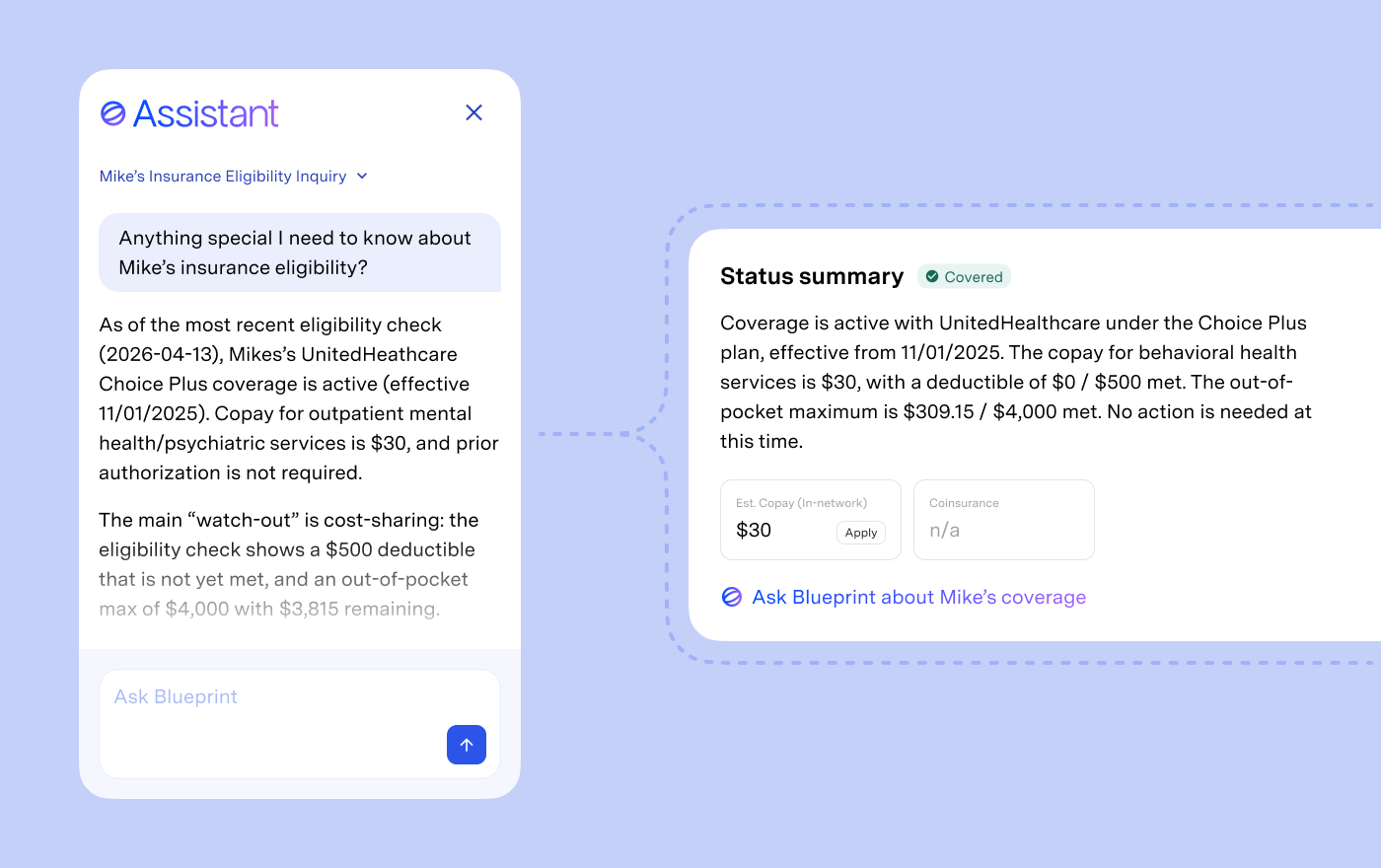
Blueprint now reads insurance eligibility responses for you and surfaces a plain-language summary on the client's Insurance tab.

Eligibility checks come back from the clearinghouse as dense, hard-to-parse data. Instead of digging through it to figure out what's covered and what the client owes, you get a narrative summary covering coverage status, plan info, deductible, prior auth requirements, carve-outs, and anything unusual. Copay, coinsurance, and prior auth requirements appear as badges alongside the summary for quick reference.

When you need more detail, simply click "Ask Blueprint" and our assistant will provide it. From there, you can ask follow-ups — remaining deductible, visit limits, network status — answered against the actual eligibility data.

Find it on the Insurance tab of any client record.